Best Smart Locks | Top Recommendations
Last Updated on 7 days ago by Jawad
Introduction
Smart locks are useful devices for improving home security while making everyday access more convenient. Unlike traditional locks that rely on physical keys, smart locks can provide keyless entry through smartphones, PIN codes, fingerprints, voice commands, or other access methods. They can be especially helpful for front doors, apartments, rental properties, offices, and other entry points where convenient and controlled access is important.
Modern smart locks are available in different designs, including keypad locks, fingerprint locks, deadbolt replacements, and smart lever locks. When choosing one, consider security features, compatibility with your existing door, connectivity, battery life, installation, access methods, automatic locking, remote control, and smart home integration. Some models also offer activity logs and temporary access codes for guests.
In this guide, we’ll explore some of the best smart locks for homeowners, renters, and property managers. Whether you’re upgrading an existing lock or adding smarter access control, the right smart lock can provide convenience, flexibility, and greater control over your home’s entry points.
How We Choose Products
- We evaluate products using relevant specifications, features, design, materials, functionality, ease of use, intended use and overall value.
- Our recommendations are based on information available from manufacturers, retailers and other publicly available sources, along with our own editorial analysis.
- We aim to present product information accurately and distinguish manufacturer or retailer claims from our independent assessment.
- We do not claim to have personally tested a product unless we have hands-on experience with it. When we have not personally tested a product, our evaluation is based on available product information and careful editorial research.
Top Smart Locks
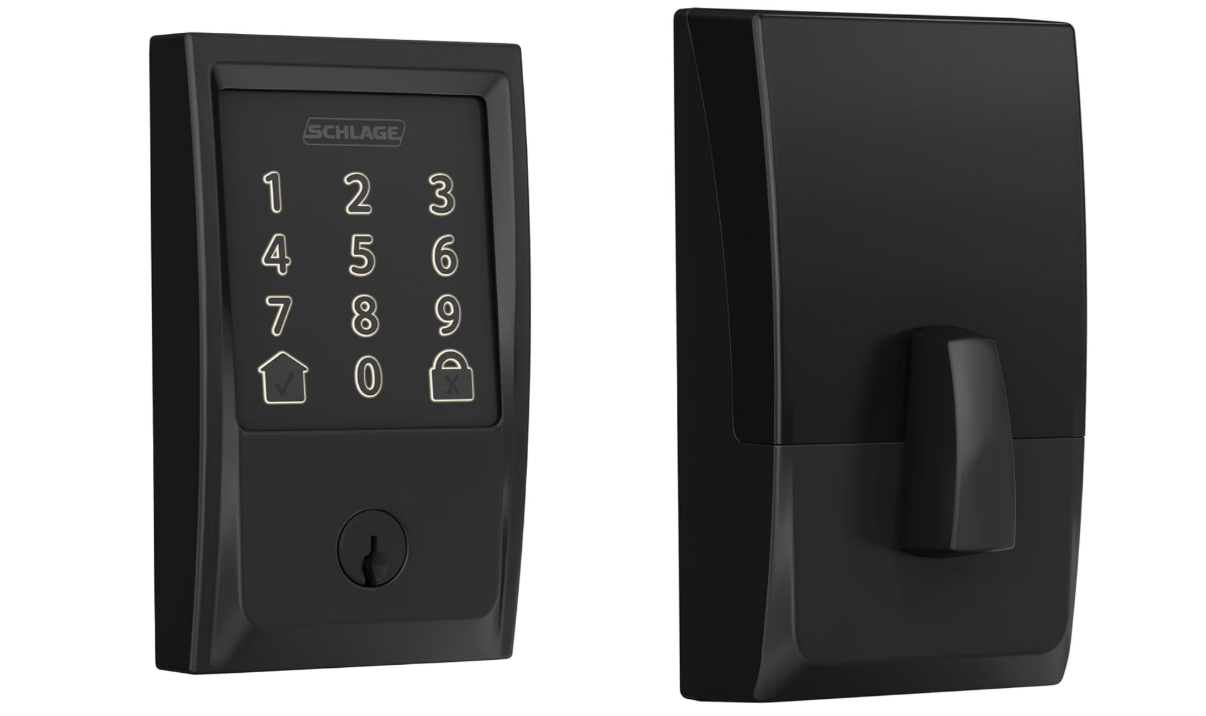
The Schlage Encode Smart WiFi Deadbolt is a convenient upgrade for modern home security and keyless entry. Its built-in WiFi lets you lock or unlock the door remotely through the Schlage Home app, while customizable access codes make it easy to provide entry to family, friends, or guests. You can also view lock activity and receive notifications.
The built-in alarm helps detect potential forced-entry attempts, while auto-lock adds everyday convenience. It works with Amazon Alexa and Google Assistant for voice control and installs with a screwdriver on standard doors.
Specifications | |
|---|---|
| Brand | Schlage |
| Type | Smart WiFi Deadbolt |
| Connectivity | Built-in 2.4GHz WiFi |
| Access Methods | Touchscreen Keypad + Smartphone App + Physical Key |
| Access Codes | Up to 100 codes |
| App | Schlage Home App |
| Voice Control | Amazon Alexa + Google Assistant |
| Remote Access | Yes, no additional hub required |
| Auto-Lock | Adjustable automatic relocking |
| Battery | 4 × AA Alkaline Batteries |
| Battery Life | Up to 6 months with typical use |
| Door Thickness | 1-3/8″ to 1-3/4″ |
| Backset | Adjustable 2-3/8″ or 2-3/4″ |
| Security | Built-in alarm + encrypted WiFi connection |
| Finish | Matte Black (622) |
| Certification | ANSI/BHMA Grade AAA + Commercial Grade 1 |
| Best For | Home Security, Keyless Entry, Remote Access & Smart Home Control |
Verdict
We recommend this smart deadbolt for homeowners seeking secure, convenient, and flexible keyless access with remote smartphone control.
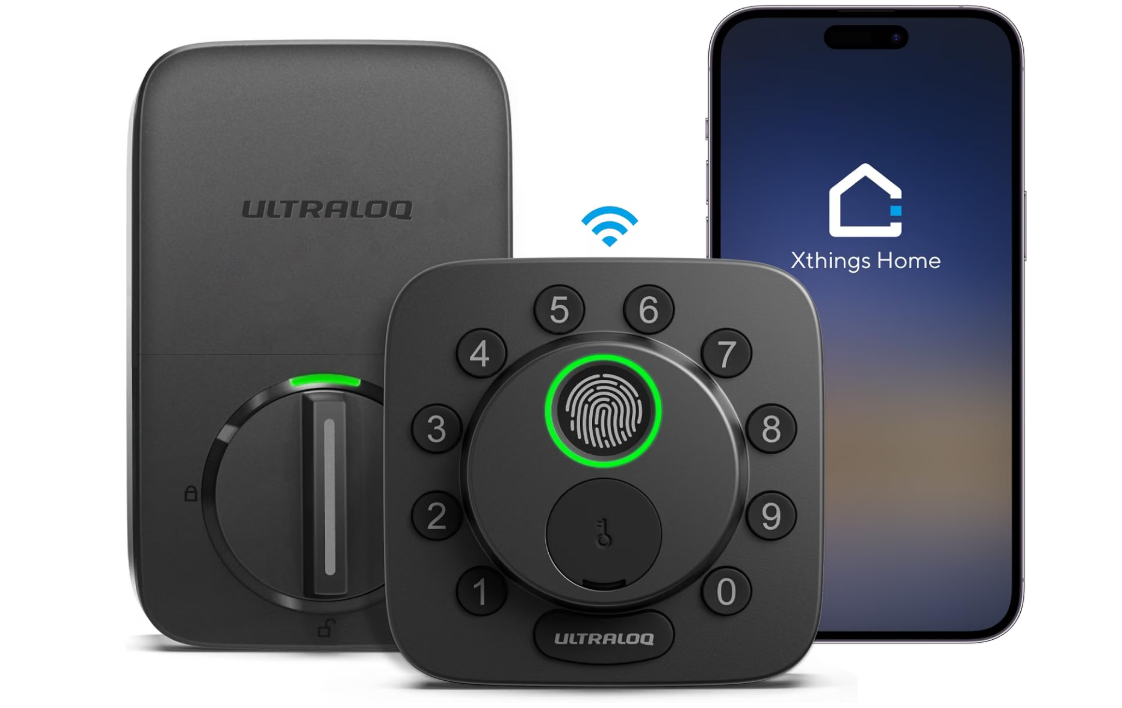
The ULTRALOQ Bolt SE Smart Lock is a convenient upgrade for modern home security and keyless entry. It offers multiple unlocking options, including fingerprint recognition, PIN codes, smartphone app control, auto unlock, and a physical key. Built-in 2.4GHz Wi-Fi enables remote access, while Matter over Thread provides broader smart-home compatibility with supported platforms.
The lock supports Apple Home, Amazon Alexa, Google Home, and SmartThings, depending on the model and connection method. Its IP65 water-resistant exterior and battery-powered design suit many standard residential doors.
Specifications | |
|---|---|
| Brand | ULTRALOQ |
| Type | Fingerprint Keyless Smart Deadbolt |
| Access Methods | Fingerprint + PIN Code + Smartphone + Physical Key |
| Fingerprint Unlock | 0.3 Seconds |
| Fingerprint Accuracy | Up to 99.8% |
| Connectivity | Bluetooth + 2.4GHz WiFi |
| Smart Home | Apple Home + Alexa + Google Home + SmartThings + IFTTT |
| Remote Access | Yes, via Smartphone App |
| Auto-Lock | Yes |
| Battery | 8 × AA Alkaline Batteries |
| Battery Included | Yes |
| Door Thickness | 1-3/8″ to 1-3/4″ |
| Backset | Adjustable 2-3/8″ or 2-3/4″ |
| Protection | IP65 Rated Exterior |
| Material | Strong Zinc Alloy |
| Weight | 3.5 lbs |
| Best For | Keyless Entry, Fingerprint Access, Home Security & Smart Home Control |
Verdict
We recommend this smart lock for homeowners seeking convenient keyless entry, biometric access, remote control, and flexible smart-home integration.
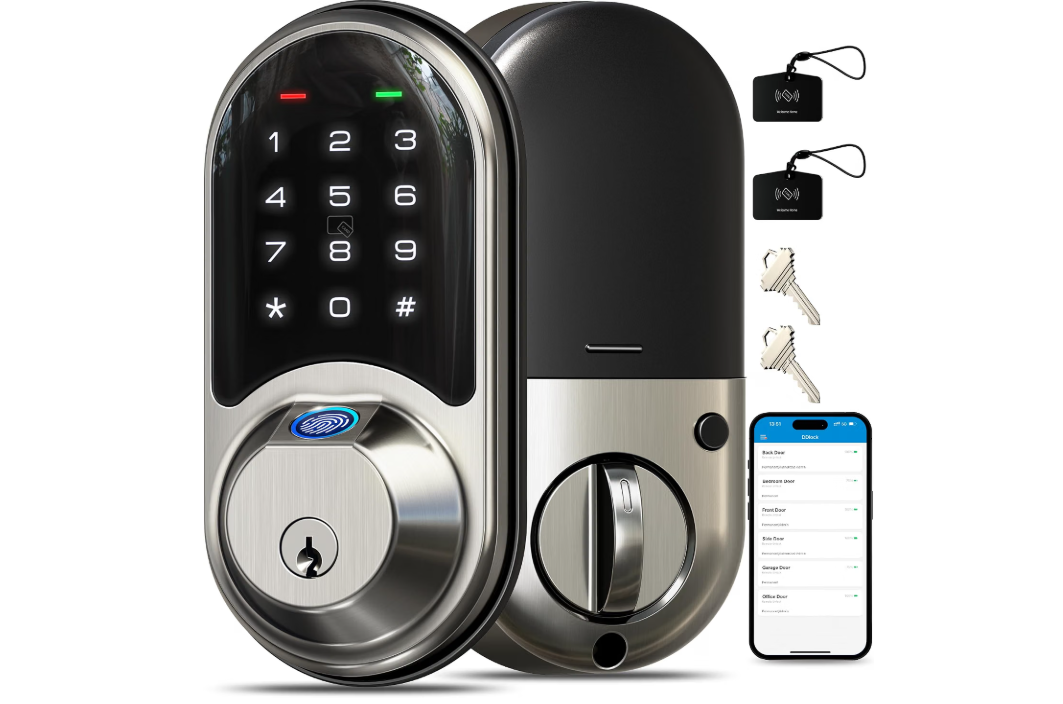
The Veise Fingerprint Smart Door Lock is a convenient upgrade for modern home security and keyless entry. Its biometric fingerprint scanner allows quick access without carrying keys, while the touchscreen keypad provides an additional PIN-code option. The lock also supports app control, making it easier to manage access and monitor the door remotely on compatible versions.
Auto-lock adds everyday convenience, while the traditional key provides backup entry when needed. Its electronic design is suitable for bedrooms, offices, and residential doors.
Specifications | |
|---|---|
| Brand | Veise |
| Type | Fingerprint Smart Deadbolt |
| Unlock Methods | Fingerprint + PIN Code + Key Fob + Smartphone App + Physical Key |
| Fingerprint Capacity | Up to 50 fingerprints |
| User Codes | Up to 250 codes |
| Fob Capacity | Up to 1,000 fobs |
| Connectivity | Bluetooth + WiFi |
| App Control | Yes, via Veise App |
| Remote Access | Yes |
| Smart Home | Alexa + Google Assistant with G2 Gateway |
| Auto-Lock | Yes |
| Battery | 4 × AA Batteries |
| Battery Included | No |
| Door Thickness | 1-3/8″ to 2″ |
| Backset | 2-3/8″ or 2-3/4″ |
| Protection | IP54 Water Resistant |
| Included | 2 Physical Keys + 2 IC Cards + Installation Hardware |
| Best For | Keyless Entry, Fingerprint Access, Home Security & Rental Properties |
Verdict
We recommend this smart lock for homeowners seeking convenient fingerprint access, keyless entry, flexible security options, and easier everyday control of their doors.
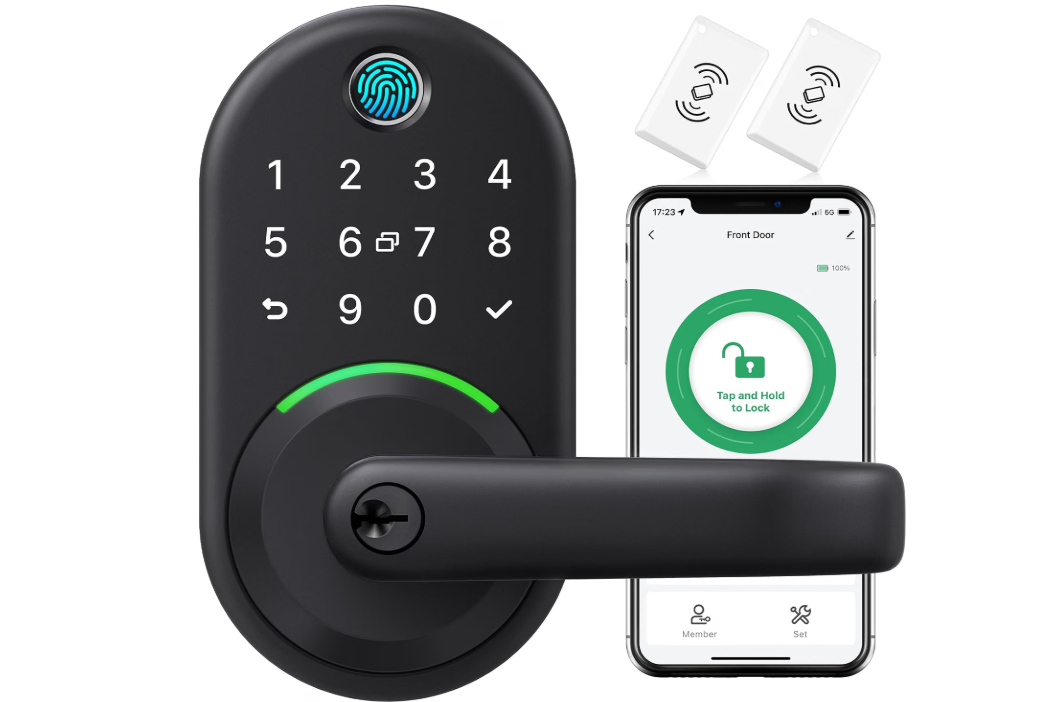
The Yamiry Smart Door Handle Lock is a convenient upgrade for modern home security and keyless entry. It offers multiple unlocking methods, including fingerprint recognition, PIN keypad, smartphone app, RFID key fobs, voice control, and traditional keys. Wi-Fi and Bluetooth connectivity provide flexible access management, while the app can generate passcodes remotely for guests or family members.
Its auto-lock and passage modes add everyday convenience, and the stainless-steel and zinc-alloy construction provides a durable feel.
Specifications | |
|---|---|
| Brand | Yamiry |
| Type | Fingerprint Smart Deadbolt with Keypad |
| Unlock Methods | Fingerprint + PIN Code + Smartphone App + Key Fob + Physical Key + Voice Control |
| Connectivity | Bluetooth + WiFi |
| App Control | Yes |
| Remote Access | Yes |
| Smart Home | Amazon Alexa |
| Auto-Lock | Yes |
| Passage Mode | Yes |
| Material | Stainless Steel + Zinc Alloy |
| Door Use | Interior & Exterior Doors |
| Dimensions | 5.5 × 2.95 × 0.79 inches |
| Included | 2 Key Fobs + 2 Mechanical Keys + Adjustable Latch + Installation Hardware |
| Best For | Keyless Entry, Fingerprint Access, Remote Control & Home Security |
Verdict
We recommend this smart door lock for homeowners seeking flexible keyless entry, biometric access, remote control, and multiple convenient ways to secure and access their front door.
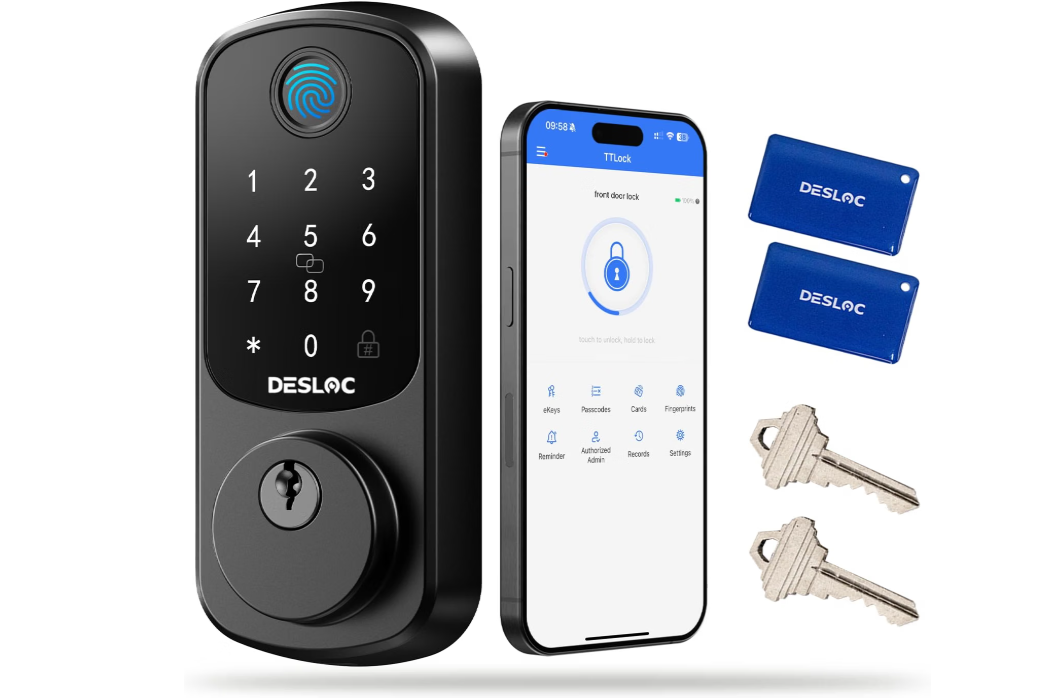
The DESLOC B200 Fingerprint Smart Door Lock is a versatile upgrade for modern home security and convenient keyless entry. It offers multiple unlocking methods, including fingerprint recognition, PIN codes, physical keys, IC cards, eKeys, and smartphone app control. The fingerprint sensor is designed for quick access, while auto-lock and anti-peeping code protection add everyday convenience and security.
Bluetooth enables nearby app control, and the optional G2 Gateway adds remote access from anywhere. The lock runs on four AA batteries and includes a USB-C emergency power port.
Specifications | |
|---|---|
| Brand | DESLOC |
| Type | Fingerprint Smart Deadbolt |
| Unlock Methods | Fingerprint + PIN Code + Physical Key + Ekey + IC Card + Fob |
| Fingerprint Capacity | Up to 50 fingerprints |
| Passcode Capacity | Up to 100 codes |
| Connectivity | Bluetooth + WiFi |
| App Control | Yes, via TTLock App |
| Remote Access | Yes, with G2 Gateway |
| Voice Control | Amazon Alexa + Google Assistant |
| Fingerprint Speed | Less than 0.3 seconds |
| Auto-Lock | Yes, adjustable |
| Battery | 4 × AA alkaline batteries |
| Emergency Power: | USB-C emergency power port |
| Protection | IP54 water resistant |
| Security Features | Anti-peeping keypad + Privacy Mode |
| Best For | Keyless Entry, Fingerprint Access, Home Security & Smart Home Control |
Verdict
We recommend the B200 for homeowners seeking flexible, convenient, and feature-rich keyless entry with biometric access and smart-home control.
Smart Locks Buying Guide
Smart locks are a convenient way to improve home security while making everyday entry easier. They can provide keyless access through fingerprints, PIN codes, smartphones, key fobs, or physical keys. Before buying, consider these important features.
1. Choose the Right Type
Popular options include smart deadbolts, keypad locks, fingerprint locks, smart lever locks, and retrofit smart locks. Choose a type that matches your door and preferred access method.
2. Check Unlocking Methods
Smart locks may support fingerprints, PIN codes, smartphone apps, key fobs, IC cards, physical keys, or voice commands. Multiple access methods can be useful for families, guests, and rental properties.
3. Consider Fingerprint Recognition
Fingerprint-enabled locks provide quick keyless entry without requiring a phone or PIN. Check fingerprint capacity, recognition speed, and overall reliability before choosing a biometric model.
4. Check Keypad Features
A touchscreen or physical keypad lets you unlock the door using a personal code. Look for features such as anti-peeping technology, backlit keys, and temporary access codes for added convenience.
5. Consider WiFi Connectivity
WiFi-enabled smart locks can allow remote locking, unlocking, notifications, and activity monitoring through a smartphone. Some models require a separate hub or gateway, so check what is included.
6. Check Bluetooth Support
Bluetooth allows convenient communication between your smartphone and the lock at close range. It can also support features such as app-based unlocking and automatic unlocking on compatible models.
7. Look for Smart Home Compatibility
If you already use smart-home devices, check compatibility with Amazon Alexa, Google Home, Apple Home, Samsung SmartThings, or other supported platforms. This can make controlling your lock easier.
8. Check Battery Life
Most smart locks use replaceable batteries. Look for reasonable battery life, low-battery alerts, and efficient power management. Locks with additional wireless features may consume more power.
9. Consider Emergency Access
A smart lock should ideally offer a backup method in case the batteries run out or electronics become unavailable. Physical keys, emergency USB power, or external battery access can provide useful backup options.
10. Check Door Compatibility
Before purchasing, measure your existing door and lock. Check door thickness, backset, bore-hole size, and deadbolt compatibility to ensure the smart lock will fit correctly.
11. Consider Auto-Lock
An automatic locking feature can secure your door after a preset period. Adjustable auto-lock timing allows you to choose a setting that works with your daily routine.
12. Look for Remote Access
Remote access is useful when you need to unlock the door for family members, guests, cleaners, or service providers while you are away. Some systems also let you create temporary or scheduled access.
13. Check User Capacity
If several people will use the lock, check how many fingerprints, PIN codes, key fobs, or user accounts it supports. Higher capacity can be particularly useful for families and rental properties.
14. Consider Security Features
Look for features such as tamper alerts, privacy modes, activity logs, anti-peeping keypads, automatic locking, and secure wireless communication. These features can provide greater control over door access.
15. Check Weather Resistance
For exterior doors, choose a smart lock designed to handle the environmental conditions where it will be installed. Weather-resistant construction can help protect the lock from moisture, dust, and temperature changes.
16. Consider Installation
Many smart locks are designed to replace standard deadbolts using existing door hardware. Check whether installation requires additional tools, drilling, or changes to your existing lock before buying.
17. Compare Price and Value
Don’t choose a smart lock based only on price or the number of features. Compare security, access methods, connectivity, battery life, door compatibility, smart-home support, emergency access, installation, and warranty.
Bottom Line
The best smart lock should provide the right combination of security, convenience, and access options for your home. Prioritize door compatibility, unlocking methods, battery life, connectivity, security features, backup access, and smart-home integration to find a reliable lock that fits your needs and daily routine.
Frequently Asked Questions
A smart lock is an electronic door lock that allows keyless entry using methods such as PIN codes, fingerprints, smartphone apps, key fobs, or voice commands. Many models can also connect to smart-home systems.
Good-quality smart locks can provide strong security features such as encrypted connections, tamper alerts, automatic locking, and activity logs. However, security also depends on proper installation, account protection, and keeping connected devices updated.
Yes. Many smart locks can still work using a keypad, fingerprint scanner, physical key, or Bluetooth connection. WiFi is mainly useful for remote access and certain smart-home features.
Battery life varies by model and usage. Many locks can operate for several months before batteries need replacement. Features such as WiFi connectivity and frequent unlocking can affect battery life.
Many models include an auto-lock feature that secures the door after a preset period. Some allow users to adjust the delay through the keypad or smartphone app.
Conclusion
Smart locks are a convenient way to improve home security while making everyday entry easier and more flexible. They are especially useful for front doors, apartments, rental properties, offices, and other entry points where keyless access can simplify daily routines.
When choosing a smart lock, consider unlocking methods, fingerprint recognition, keypad design, WiFi and Bluetooth connectivity, battery life, door compatibility, auto-lock settings, remote access, smart-home compatibility, emergency access, and weather resistance. Models with multiple entry options can provide added convenience, while WiFi-enabled locks offer useful remote control features.
Ultimately, the best smart lock should match your door, security needs, preferred access methods, and budget. By comparing important features and choosing a reliable model, you can enjoy convenient keyless entry while gaining greater control over who can access your home.