Best Smart Plugs | Top Recommendations
Last Updated on 1 week ago by Jawad
Introduction
Smart plugs are a simple and affordable way to add smart functionality to ordinary household appliances. These compact devices plug into a standard wall outlet and allow you to control connected electronics using a smartphone app, voice assistant, or automated schedule. They can be useful for lamps, fans, coffee makers, chargers, and other compatible devices.
With features such as remote control, scheduling, timers, energy monitoring, and voice commands, smart plugs can make everyday routines more convenient. Some models also support smart home platforms such as Amazon Alexa, Google Home, Apple Home, or Matter, allowing them to work alongside other connected devices.
Choosing the right smart plug depends on factors such as Wi-Fi compatibility, electrical load rating, app features, voice-assistant support, size, and safety features. In this guide, we’ll explore some of the best smart plugs for different needs and budgets. Whether you’re new to smart home technology or expanding an existing setup, the right smart plug can make ordinary appliances easier to control and automate.
How We Choose Products
- We evaluate products using relevant specifications, features, design, materials, functionality, ease of use, intended use and overall value.
- Our recommendations are based on information available from manufacturers, retailers and other publicly available sources, along with our own editorial analysis.
- We aim to present product information accurately and distinguish manufacturer or retailer claims from our independent assessment.
- We do not claim to have personally tested a product unless we have hands-on experience with it. When we have not personally tested a product, our evaluation is based on available product information and careful editorial research.
Top Smart Plugs
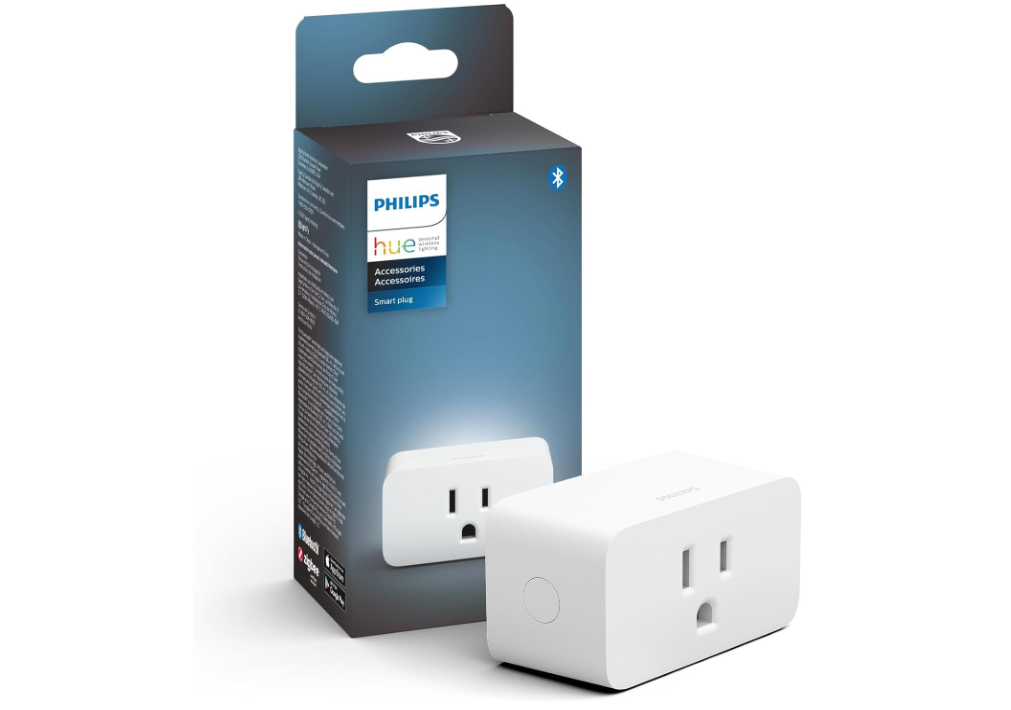
The Philips Hue Smart Plug is a convenient way to add smart control to lamps and other plug-in lights around the home. Its compact design fits easily into standard outlets without taking up excessive space. Using Bluetooth, you can control connected lights through the Hue app, while adding a Hue Bridge unlocks features such as scheduling, automation, remote control, and expanded smart-home functionality.
It also works with Amazon Alexa, Google Assistant, and Apple HomeKit for convenient voice control.
Specifications | |
|---|---|
| Brand | Philips Hue |
| Type | Smart Plug |
| Color | White |
| Connectivity | Bluetooth + Zigbee |
| Voltage | 100–120V |
| Maximum Load | 1,800W |
| Control | Philips Hue App |
| Voice Control | Alexa, Google Assistant & Apple Home |
| Wi-Fi | Not Required |
| Compatible Systems | Matter, SmartThings, IFTTT & More |
| Design | Compact & Discreet |
| Warranty | 2 Years |
| Best For | Lamps, Lighting & Hue Smart Home Automation |
Verdict
We recommend this smart plug for homeowners who want an easy way to upgrade traditional lamps with convenient app and voice control while expanding their existing smart-home setup.
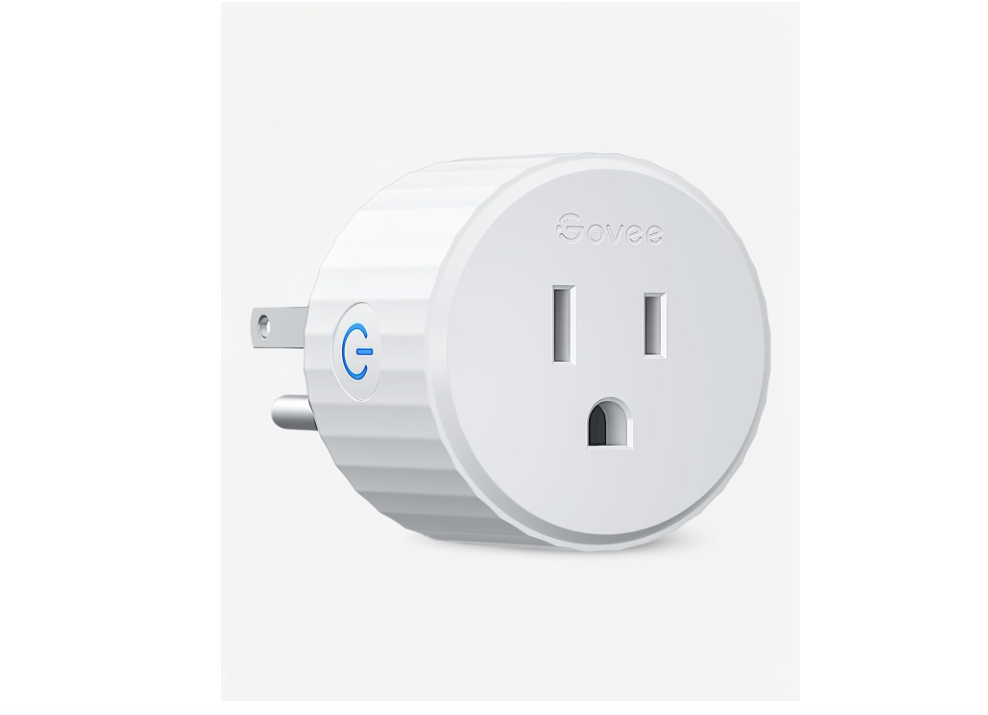
The Govee Smart Plug is a convenient and affordable way to add smart control to everyday household devices. It connects to a 2.4GHz Wi-Fi network without requiring a separate hub, allowing you to turn compatible appliances on or off through the Govee Home app.
Scheduling and timer functions make it easy to automate lamps, fans, and other devices, while group control helps manage multiple plugs together. It also supports Amazon Alexa and Google Assistant for hands-free voice control. The plug is rated for up to 10A and 1200W.
Specifications | |
|---|---|
| Brand | Govee |
| Type | Wi-Fi Smart Plug |
| Connectivity | 2.4GHz Wi-Fi + Bluetooth |
| Voltage | 120V |
| Current | 10A |
| Power | Up to 1,100W |
| Control | Govee Home App |
| Voice Control | Amazon Alexa & Google Assistant |
| Hub | Not Required |
| Features | Scheduling, Timer & Group Control |
| Design | Compact, Space-Saving |
| Certification | ETL & FCC |
| Best For | Lamps, Fans & Household Appliances |
Verdict
We recommend this smart plug for homeowners who want simple remote control, scheduling, and voice-enabled automation for everyday home appliances.
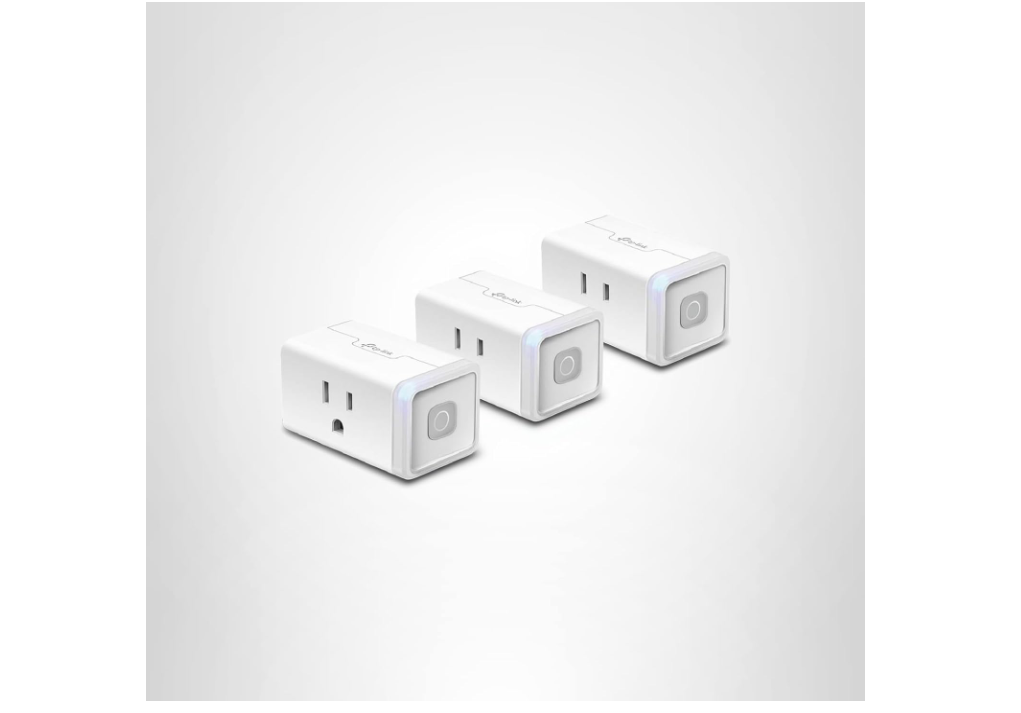
The TP-Link Kasa Smart Wi-Fi Plug Mini is a convenient way to add smart control to everyday household electronics. Its compact design fits easily into standard outlets, while Wi-Fi connectivity allows you to control connected devices remotely through the Kasa Smart app without requiring a separate hub.
You can set schedules, timers, and scenes for lamps, fans, and other compatible appliances. Voice control is supported through Amazon Alexa and Google Assistant, adding hands-free convenience.
Specifications | |
|---|---|
| Brand | TP-Link Kasa |
| Type | Smart Wi-Fi Plug |
| Connectivity | 2.4GHz Wi-Fi |
| Voltage | 100–120V |
| Maximum Load | 15A / 1,800W |
| Control | Kasa Smart App |
| Voice Control | Amazon Alexa & Google Assistant |
| Hub | Not Required |
| Features | Scheduling, Timer & Away Mode |
| Design | Compact & Space-Saving |
| Use | Lamps, Fans, TVs & Light-Duty Electronics |
| Certifications | UL, FCC, IC & RoHS |
| Best For | Smart Home Automation & Everyday Appliances |
Verdict
We recommend this smart plug for homeowners who want an affordable, easy-to-use solution for remote control, scheduling, and voice automation of everyday devices around the home.
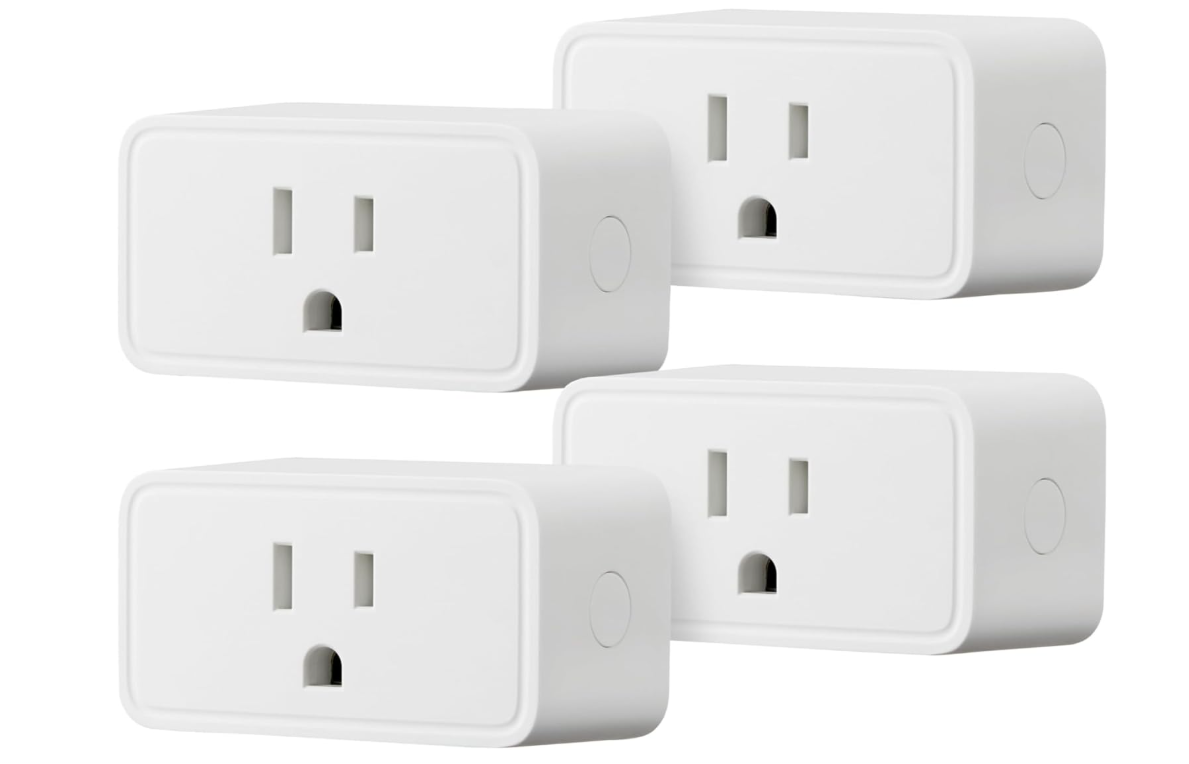
The Amazon Basics Smart Plug is a convenient way to add simple smart control to everyday household devices. Its single-outlet design works well with lamps, fans, small appliances, and other compatible electronics, while Wi-Fi connectivity lets you control devices remotely through the Alexa app.
You can create schedules, timers, and routines to automate daily tasks and reduce the need for manual switching. Its compact indoor design is easy to install and use with compatible Alexa-enabled systems.
Specifications | |
|---|---|
| Brand | Amazon Basics |
| Type | Indoor Smart Plug |
| Connectivity | 2.4GHz Wi-Fi |
| Pack | 4-Pack |
| Maximum Load | 15A |
| Control | Amazon Alexa App |
| Voice Control | Alexa |
| Hub | Not Required |
| Plug Type | Type B |
| Design | Compact Single-Outlet |
| Compatibility | iOS, Android & Fire OS |
| Use | Lamps, Fans & Household Electronics |
| Best For | Alexa-Based Smart Home Automation |
Verdict
We recommend this smart plug for homeowners who want an affordable and straightforward way to add remote control, scheduling, and voice-enabled convenience to everyday devices around the home.
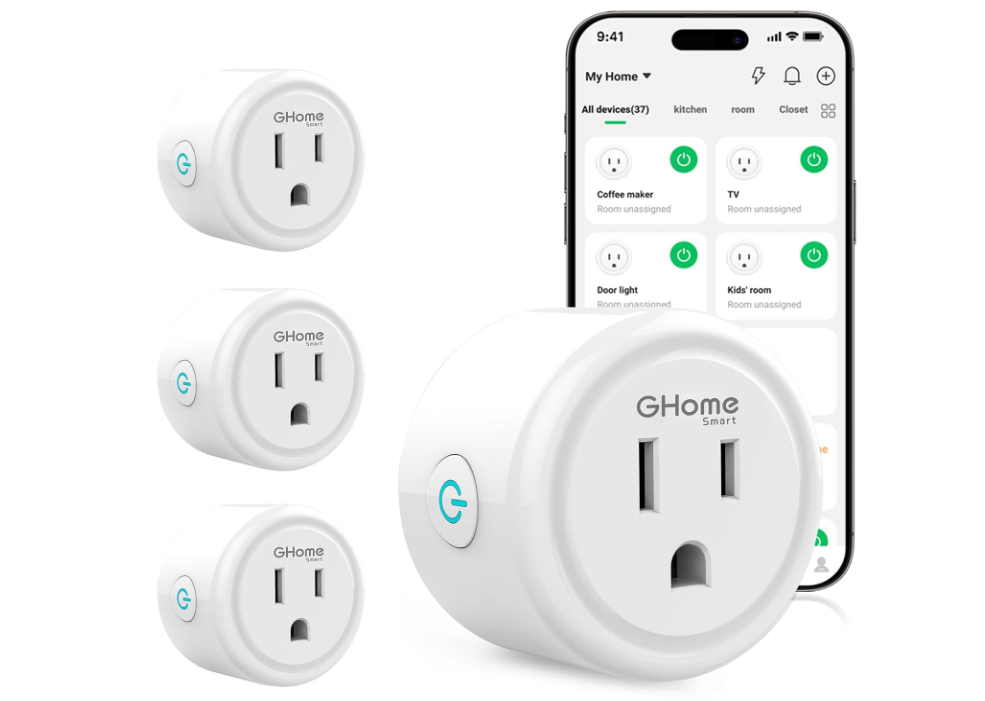
The GHome Smart Plug is a convenient way to add smart control to everyday household devices. It supports 2.4GHz Wi-Fi and Bluetooth for easy setup without requiring a separate hub, while the GHome, Smart Life, and Tuya apps allow remote control from your smartphone. Scheduling and timer functions can automate lamps, fans, and other compatible appliances, while Alexa and Google Assistant support convenient voice control.
Its compact 2.1 × 2.1 × 1.1-inch design fits easily into standard outlets, and the ETL- and FCC-listed plug is rated for up to 10 amps.
Specifications | |
|---|---|
| Brand | GHome Smart |
| Type | Wi-Fi Smart Plug |
| Connectivity | 2.4GHz Wi-Fi |
| Pack | 4-Pack |
| Voltage | 120V |
| Current | 10A |
| Power | Up to 1,200W |
| Control | GHome, Smart Life & Tuya Apps |
| Voice Control | Amazon Alexa & Google Assistant |
| Hub Required | No |
| Features | Remote Control, Timer, Scheduling & Group Control |
| Design | Compact |
| Certifications | ETL & FCC |
| Best For | Lamps, Fans & Household Appliances |
Verdict
We recommend this smart plug for homeowners seeking simple, affordable, and flexible home automation.
Smart Plugs Buying Guide
Smart plugs are an easy way to add remote control and automation to ordinary household appliances. Before buying one, consider these important factors.
1. Check Compatibility
Make sure the smart plug works with your preferred smart home ecosystem, such as Amazon Alexa, Google Home, Apple Home, or Matter. Compatibility can vary between models.
2. Consider Wi-Fi Requirements
Most affordable smart plugs use 2.4GHz Wi-Fi because it provides good range and compatibility. Check your router and the product requirements before purchasing.
3. Check the Power Rating
Look at the plug’s maximum voltage, current, and wattage ratings. Choose a model that can safely handle the appliance you plan to connect.
4. Look for App Control
A reliable smartphone app should make it easy to turn devices on or off, create schedules, set timers, and manage multiple plugs.
5. Consider Voice Control
Alexa and Google Assistant compatibility can provide convenient hands-free control. Apple Home support is useful if you already use Apple’s smart home ecosystem.
6. Check Whether a Hub Is Required
Many Wi-Fi smart plugs connect directly to your router and don’t require a separate hub. Some Zigbee or other smart-home devices may need a compatible hub.
7. Consider Scheduling and Automation
Useful features include timers, schedules, countdowns, sunrise/sunset routines, and away modes. These can help automate lights and other everyday appliances.
8. Look for Energy Monitoring
Some smart plugs can measure electricity usage. Energy monitoring can be useful if you want to track how much power connected appliances consume.
9. Check Size and Outlet Design
A compact smart plug is less likely to block adjacent outlets. Check the plug’s dimensions, especially when using it in crowded power strips or wall outlets.
10. Consider Safety Features
Look for appropriate electrical certifications and features such as overload protection, overheating protection, grounded connections, and secure construction.
11. Think About the Device You Will Connect
Smart plugs are generally useful for devices that turn on automatically when power is supplied, such as lamps, fans, and some coffee makers. Make sure the appliance is suitable for smart-plug operation.
12. Check Indoor or Outdoor Use
Most smart plugs are designed for indoor use. For patios, gardens, or other exposed areas, choose a model specifically rated for outdoor conditions.
13. Consider Privacy and Security
Choose products from reputable manufacturers and keep firmware and app software updated. Use a strong account password and secure Wi-Fi connection.
14. Compare Price and Value
Don’t choose a smart plug based only on price. Compare compatibility, electrical ratings, automation features, app quality, security, certifications, and warranty.
Bottom Line
The best smart plug should be safe, compatible with your smart home ecosystem, easy to control, and suitable for the appliance you plan to use. For most households, a reliable 2.4GHz Wi-Fi model with app, voice control, scheduling, and a suitable power rating offers a strong balance of convenience and value.
Frequently Asked Questions
Many smart plugs use 2.4GHz Wi-Fi for connectivity. Some models use Bluetooth, Zigbee, Thread, or other technologies instead.
Not always. Many Wi-Fi smart plugs connect directly to your home network and don’t require a separate hub. Check the product specifications before buying.
Yes. Compatible Wi-Fi smart plugs can usually be turned on or off through their smartphone app, even when you’re away from home.
Many smart plugs support Amazon Alexa and Google Assistant, allowing you to control connected devices with voice commands. Always check compatibility before purchasing.
Choose models from reputable manufacturers with appropriate electrical certifications and a power rating suitable for your appliance. Avoid exceeding the manufacturer’s maximum load.
Conclusion
Smart plugs are a simple and affordable way to add convenience and automation to everyday household appliances. They allow you to control compatible devices remotely, create schedules, use voice commands, and automate daily routines without replacing your existing appliances.
When choosing a smart plug, consider compatibility, Wi-Fi requirements, power rating, app control, voice assistant support, scheduling features, safety certifications, and size. Energy-monitoring models can provide additional value if you want to track electricity usage.
Ultimately, the best smart plug is one that works reliably with your preferred smart home ecosystem and safely supports the appliance you want to control. By comparing features and electrical ratings before buying, you can choose a smart plug that makes your home more convenient, connected, and efficient.